
Getting Started
To use the iCHEF [Reservation] feature, please first purchase the Online Store [Reservation Service Module], then you can return to [Reservation] and follow the backend steps to complete the settings.
No. iCHEF feature modules are expansion services under the iCHEF POS system. You must be within your [iCHEF POS System Contract Period] to purchase feature modules.
If you are a new iCHEF POS user, to allow for system transition and setup buffer time, feature module plans can start 1 month earlier than your [iCHEF POS System Contract Period]. Simply select [Activate Now] when purchasing the module to start using the feature module in advance.
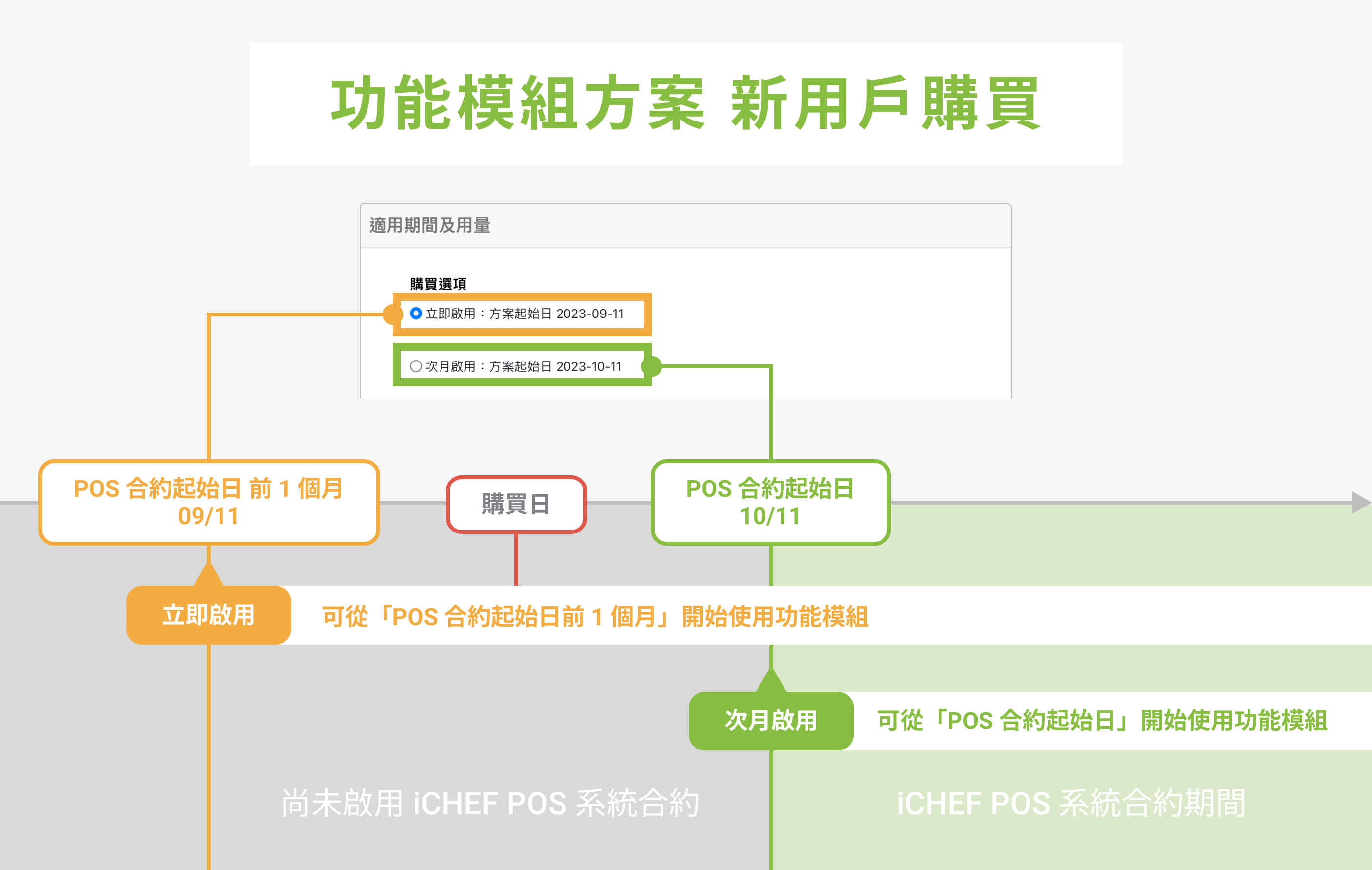
Example: My iCHEF POS System Contract start date is 2023/10/11.
- Selecting [Activate Now]: You can start using the feature module from 09/11, 1 month before the POS contract start date.
- Selecting [Activate Next Month]: You can start using the feature module from 10/11, the POS contract start date.
After a reservation is successfully made, the system will automatically send two notifications to the customer: [Reservation Successful] and [Reservation Hold]. Both notifications include the customer’s reservation information webpage.
Yes, international customers can make reservations by entering their Email during booking, and system notifications will be sent via Email.
Reservation Management
To [Modify Reservation], it must be done before the dining date ends, and the reservation status must not be [Seating Completed]. You can modify reservations through POS Reservation or the Backend Reservation List.
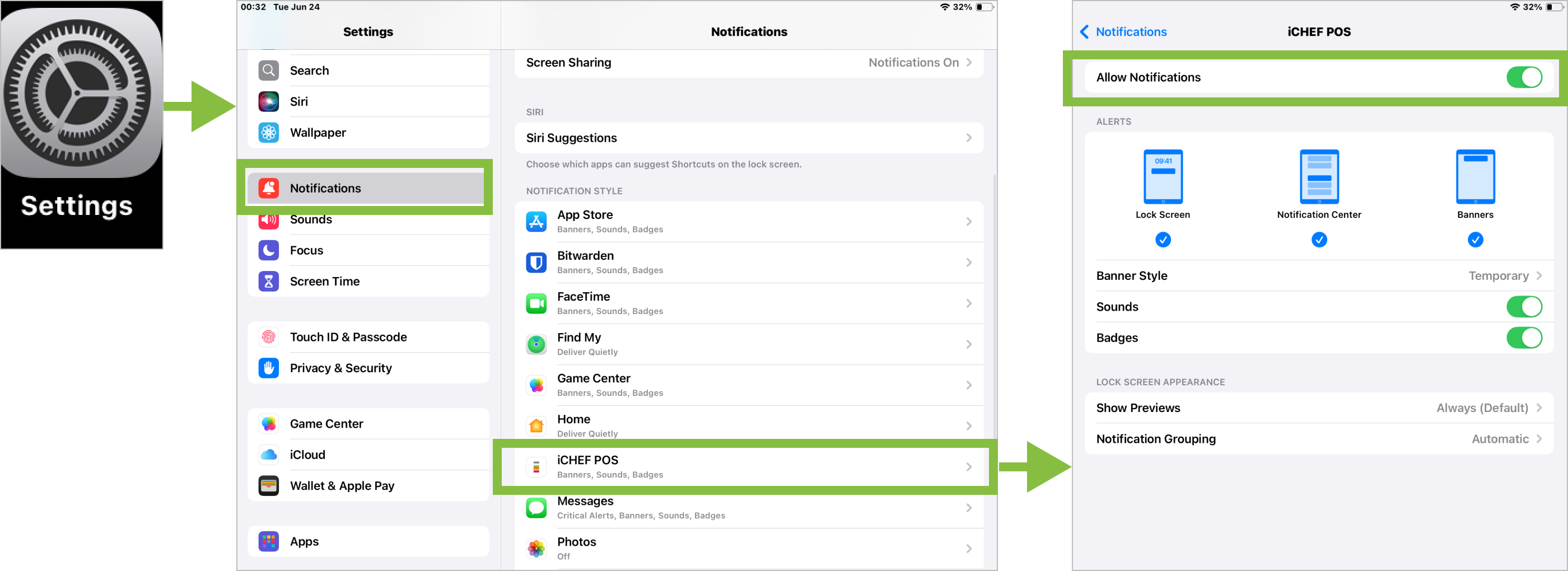
Go to iPad’s built-in [Settings] > [Notifications] > iCHEF POS and turn [Allow Notifications] on or off.
After tapping [Seat Guests] on a reservation, the system will automatically create a customer order for the pre-arranged table. Please return to the [Table Status] page to start ordering.
Displayed when the selected table’s capacity is less than the reservation’s guest count. Simply move the reservation to a table that matches the guest count, and the alert will disappear.
Displayed when the same table is booked simultaneously. Simply move the reservation to another available table, and the alert will disappear.
The [Late] alert appears on the reservation after the customer’s reservation time plus the grace period has passed. You can still modify this reservation before the end of the dining day.
Reservation Website Services
The online reservation website automatically opens reservation services according to your set [Reservation Rules]. If you wish to directly disable online reservation services, please go to [Online Store] > [Reservation] > [Feature Status] and turn off [Online Reservation].
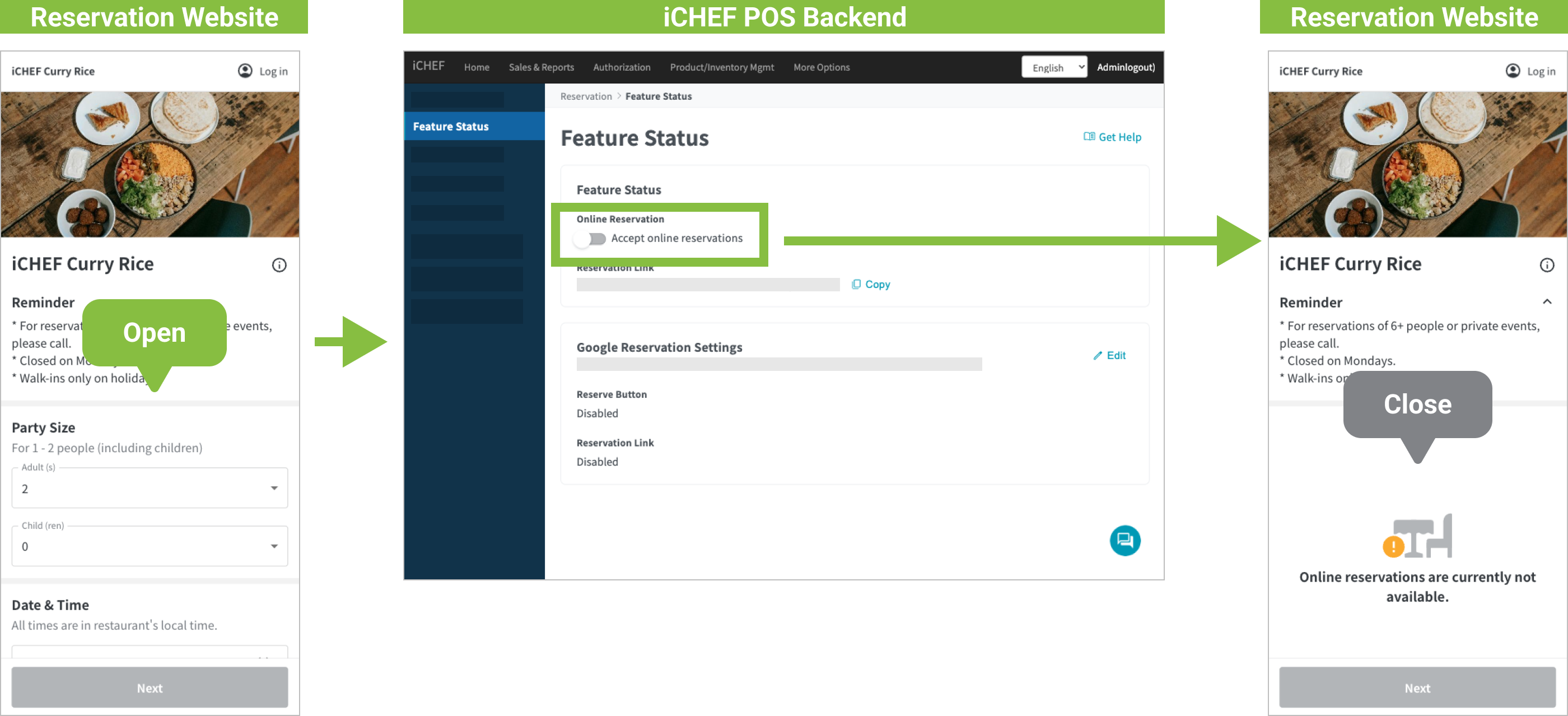
If your iCHEF POS contract has expired and you do not plan to continue using iCHEF’s online reservation services.
Please submit an application via iCHEF Customer Service Center LINE to hide this reservation website from Google search results. This is to prevent customers from finding outdated information that is no longer maintained. (If you wish to re-enable this website in the future, please contact iCHEF customer service again to activate it.)