To allow customers to make a reservation for the right time and a right number of people with online reservation by themselves, simply configure the settings of [Table Availability] and [Reservation Rules] in iCHEF backend, and the system will present the options to your customers accordingly.
In the settings of [Reservation Rules], you can not only set up the table usage duration for weekdays and weekends respectively, but also configure different intervals between reservation time options according to reservation hours to make the rules more flexible! In this way, the system can effectively help customers avoid mistaken reservation to improve their experience in using your website.

The settings in the backend are as below:
- Reservation hours: 09:00 ~ 11:00 from Monday to Friday
- Spaced time (interval between reservation time options): 30 minutes
- Reservation availability: Reservation available from 1 minute to 14 days in advance.
Let’s assume that it is 09:20 on Monday, and the reservation availability is illustrated as below:
- The earliest option: The next available reservation hour from 1 minute later, which is 09:30.
- The latest option: 11:00, 14 days later.

➤ Backend Path: Online Store > Reservation > Reservation Rules
The reservation rules you configured in the backend will be updated in real time, so you don’t have to worry about the time lag in website update.

1. Basic Settings
❶ Time Settings
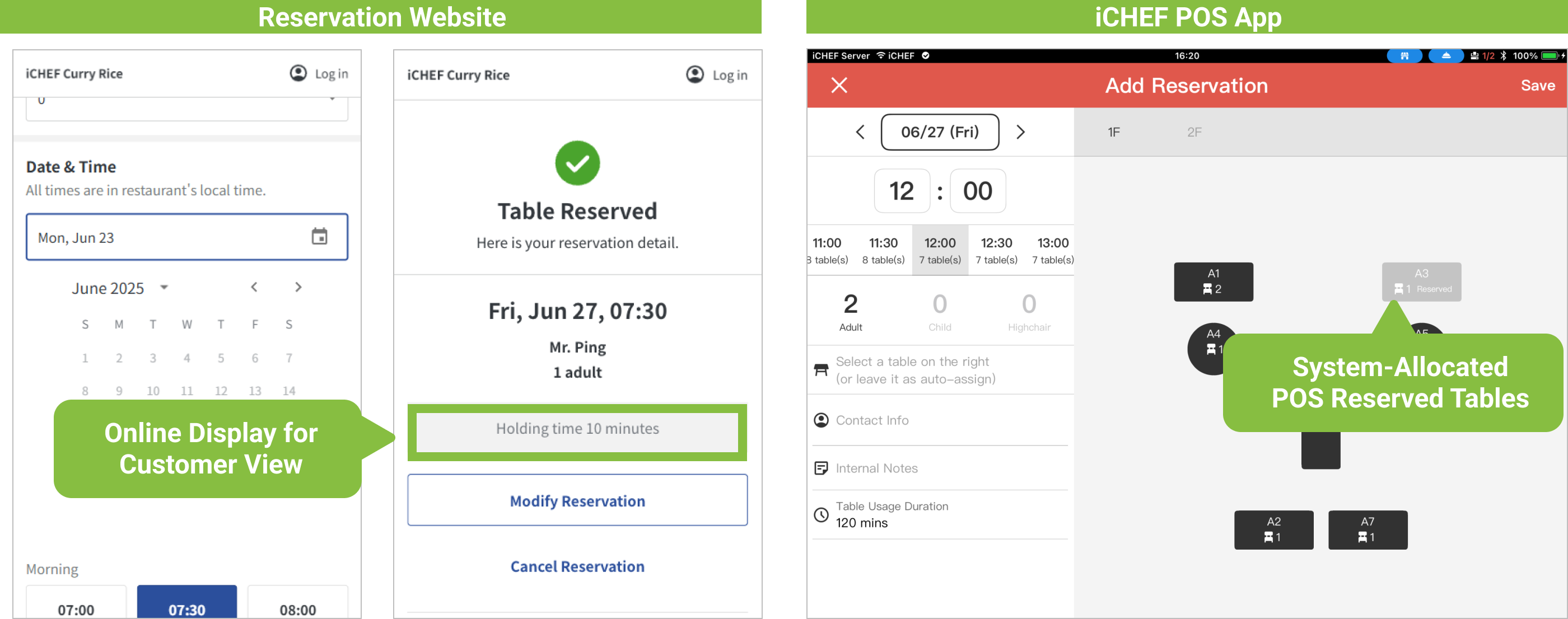
- Table scheduling: The system displays the available reservation hours on your website accordingly. The holding time will be shown on the reservation website to remind the customers, and the table usage duration will be shown on the POS for the system to reserve a table.
➜ More about dining time for customers
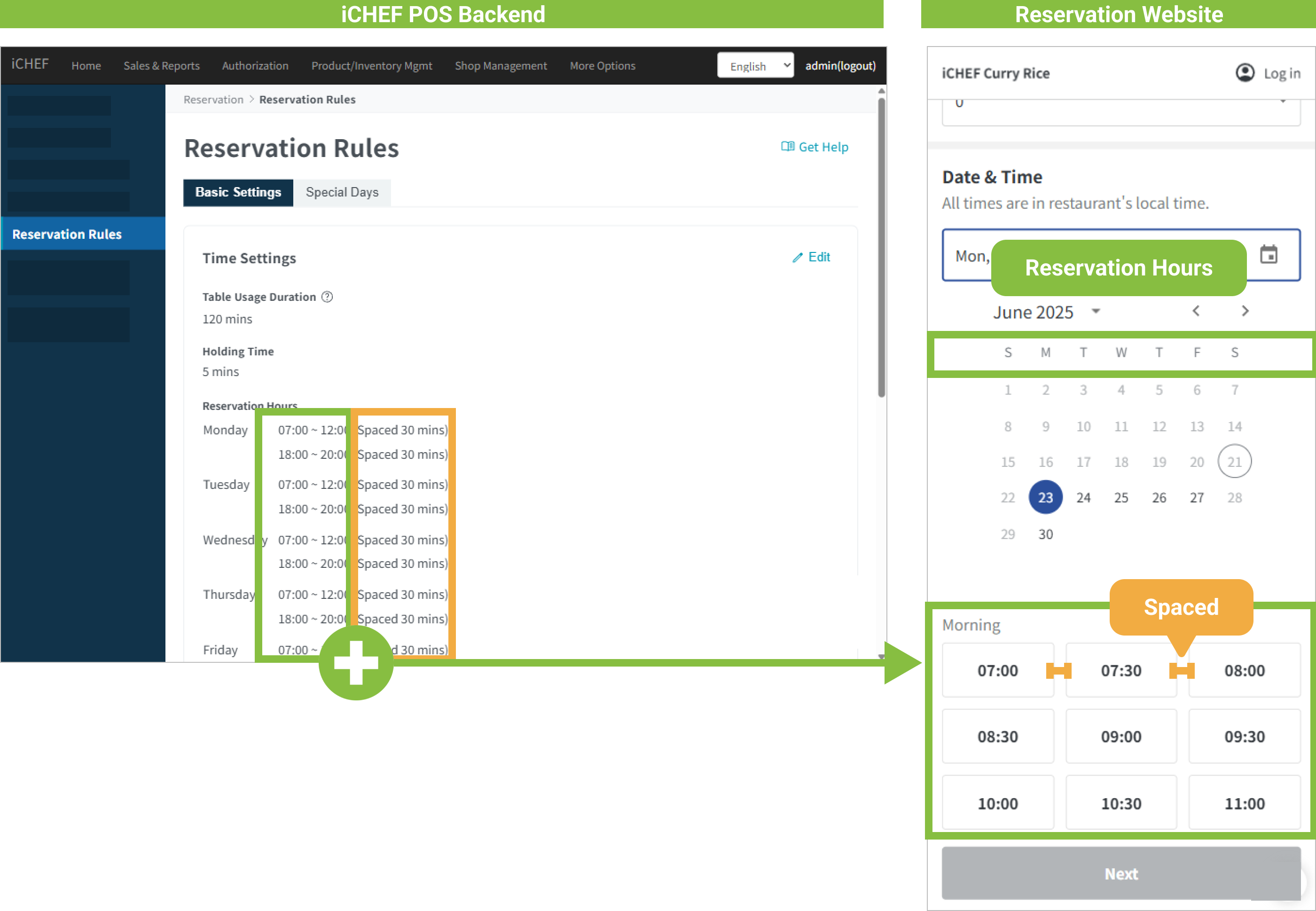
- Reservation hours: The system will generate reservation time options according to the reservation hours and spaced time you configured.
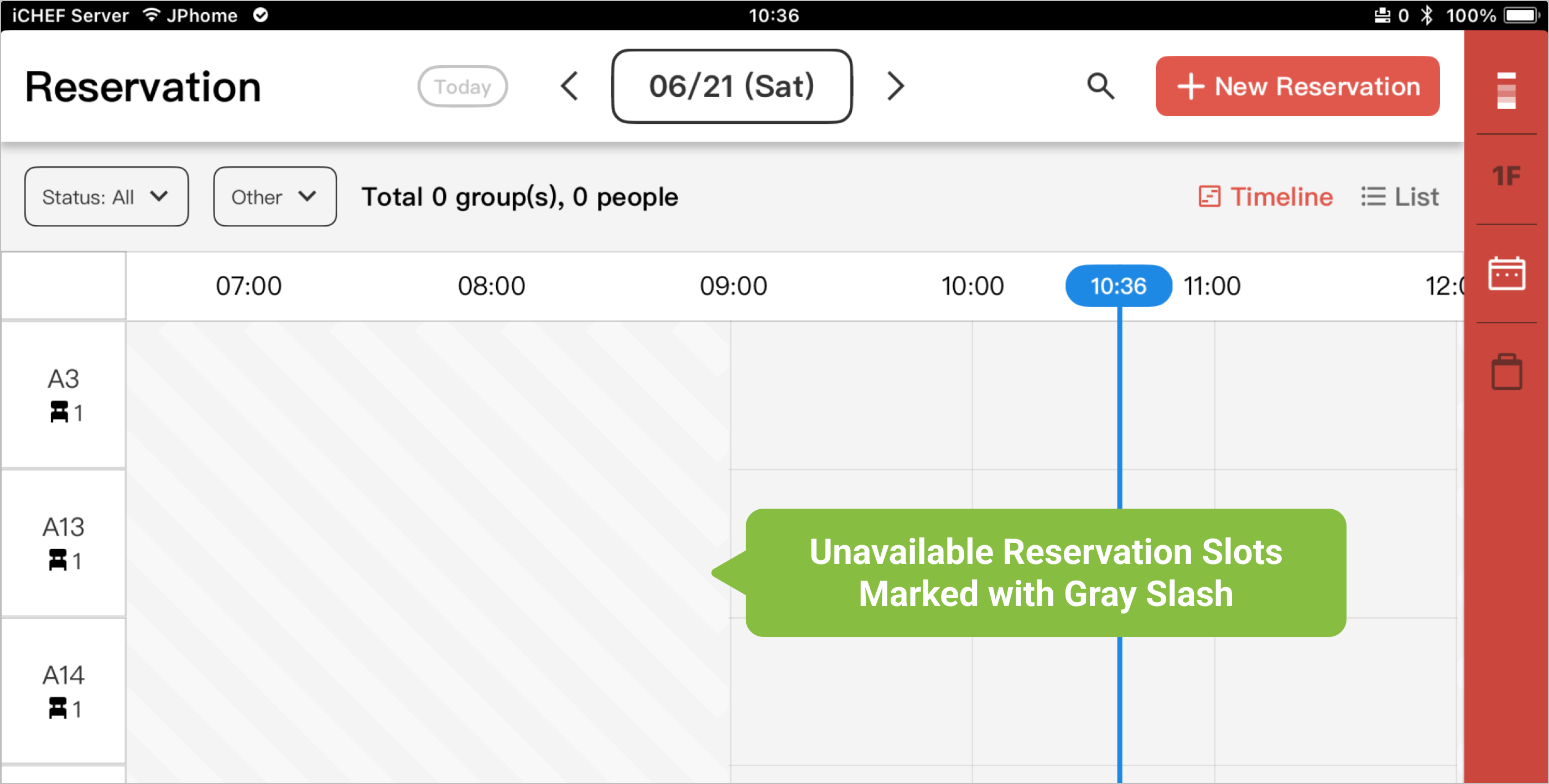
In iCHEF POS App, the system will mark all of the unavailable reservation hours with gray slashed.
➜ More about available reservation hours
❷ Reservation availability
The settings of [Reservation Availability] provides a time range of available dates. The [Dining Date and Time] on the reservation website will display the available reservation time options according to the current time for customers to choose from.
You can also set the availability to allow customers to make a reservation as late as 1 minute before dining to optimize the availability of reservation while avoiding any waste of tables. Reservation can also be made as early as 60 days in advance for you to schedule the orders and arrange staff more efficiently.

➜ More about reservation availability
❸ Advanced Settings
- Special Request: It is displayed as the final step of online reservation for customers to provide additional information, such as a need for high chair and vegetarian meals.
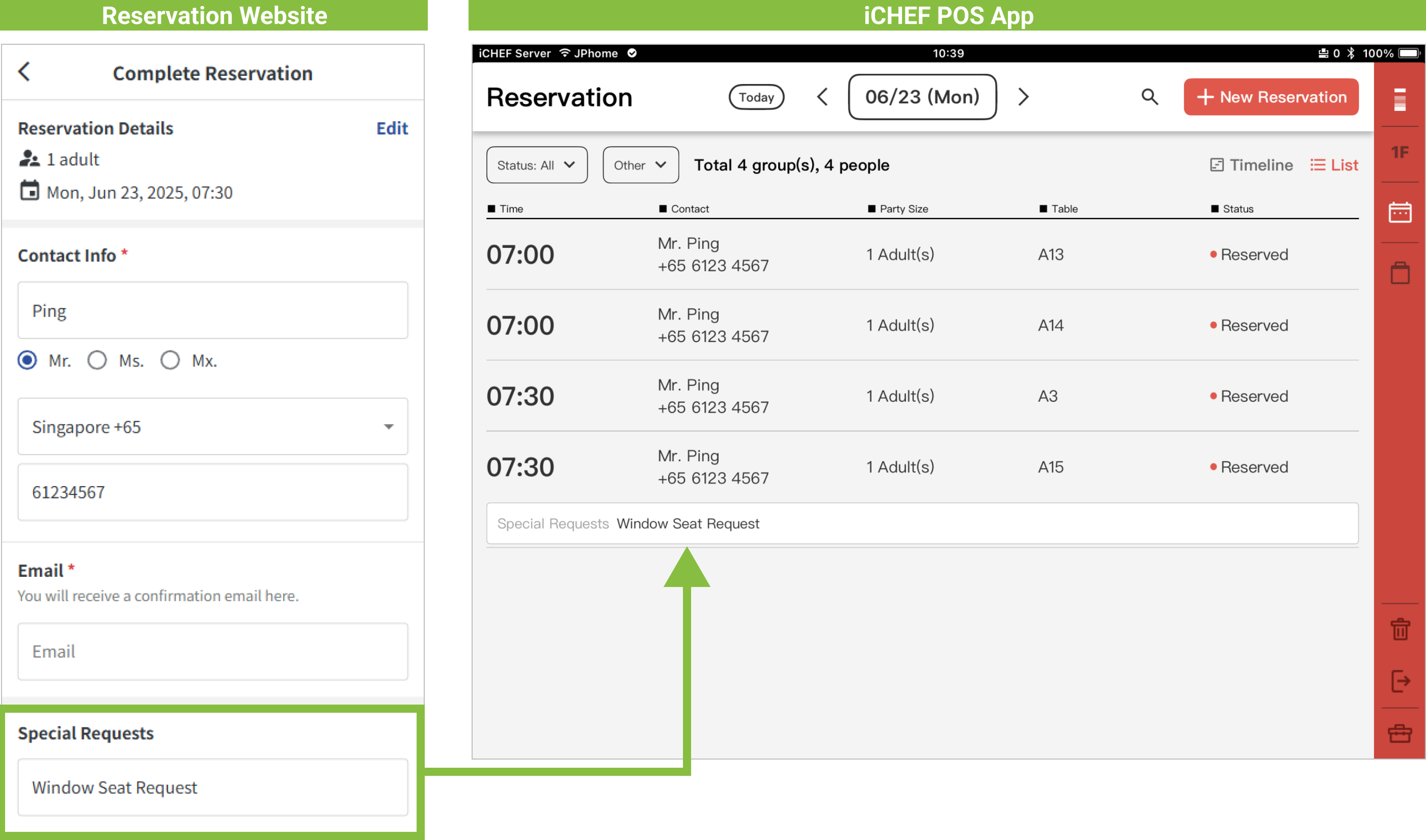
➜ More about settings of special request
2. Special Days
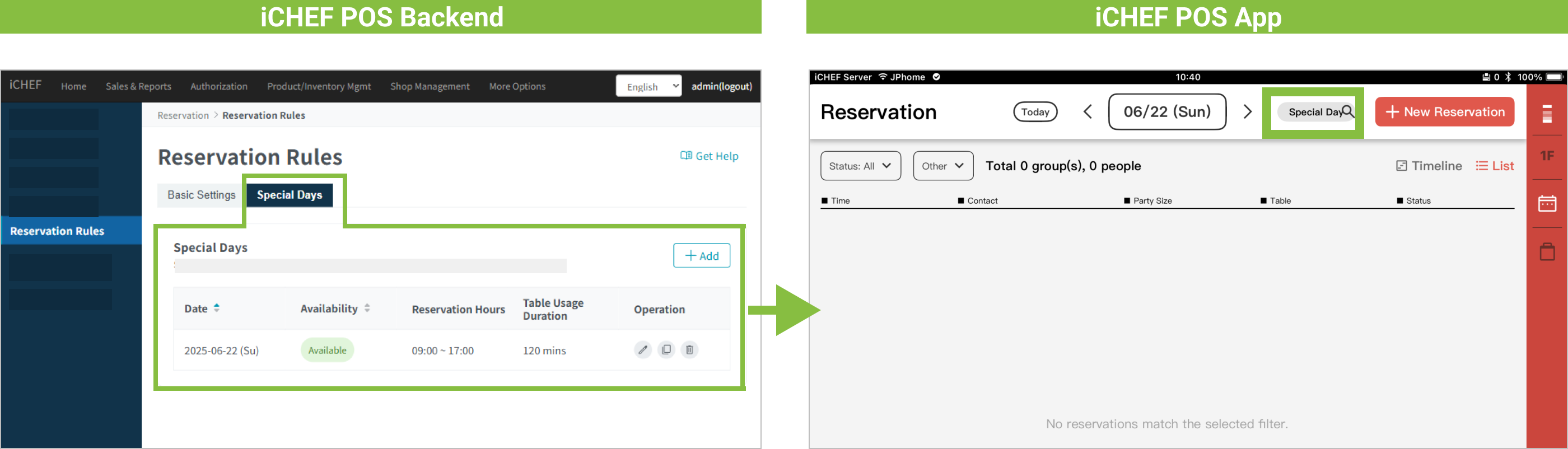
In addition to regular reservation hours, you can set specific dates, such as closing days and long weekends, as unavailable or customize reservation hours to replace regular settings.
The system will sync your settings and mark the special days for both POS and reservation website.