
Every transaction on Online Store will be recorded and sorted by payment methods. Learn more about: Shift/Daily Close out
Supported Payment Methods
| Payment Methods / Description | Supported Regions | View Net Income |
|---|---|---|
| Pay at Pickup | Taiwan, Hong Kong, Singapore | — |
| LINE Pay | Taiwan | Instructions |
| Cards (NewebPay) | Taiwan | Instructions |
| Allinpay | Hong Kong | Instructions |
| Cards (Stripe) | Hong Kong (Applications suspended)、Singapore | Instructions |
Look up Transaction Details
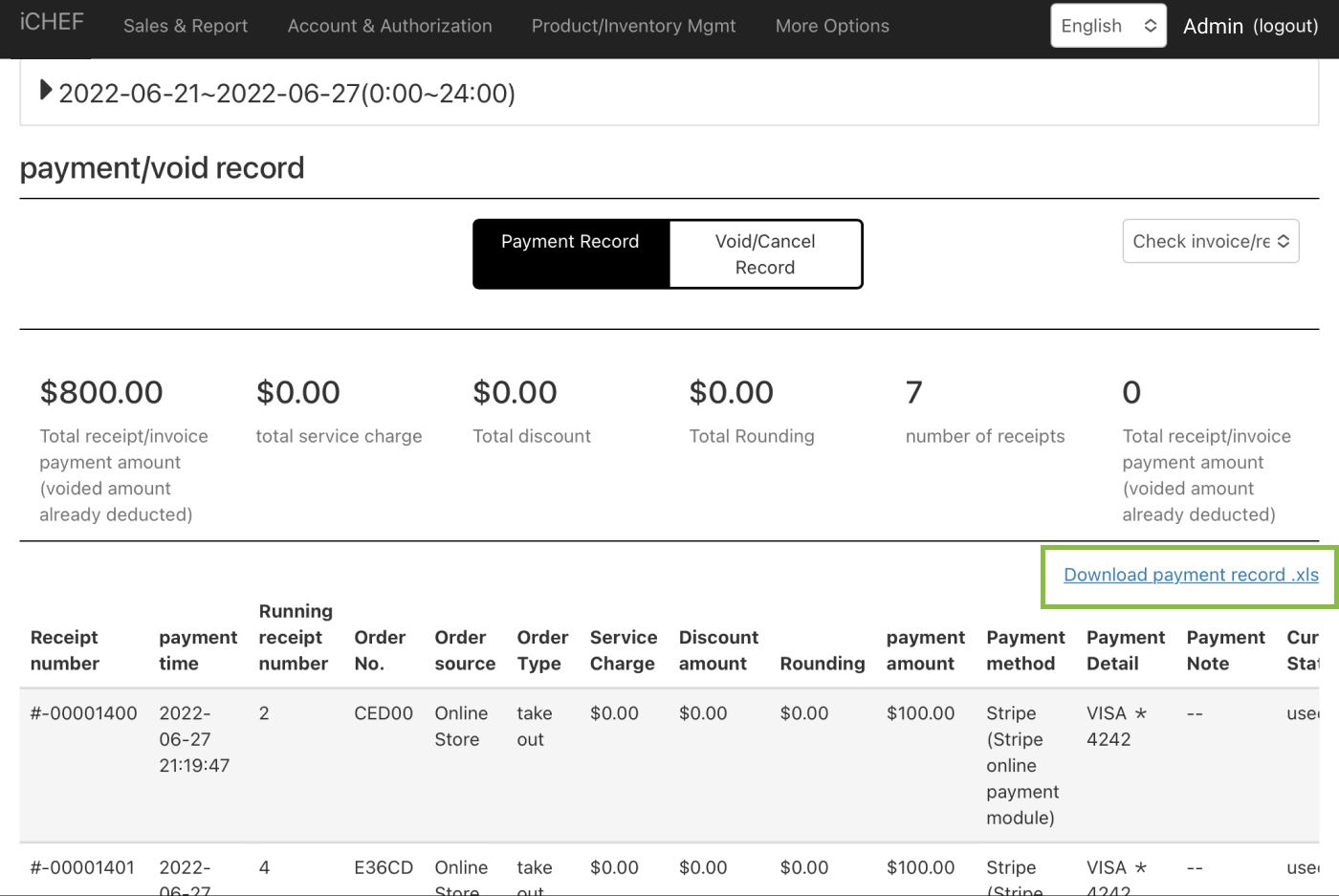
When discrepancies occur during the summary closure, you can review all transaction records for orders sourced from takeout ordering and compare them with the payment methods to identify potential reasons for the discrepancies.
- Go to Sales & Report > Payment/Void Record
- Download [payment record.xls]
- Filter the following column:
- iCHEF Online Store Orders
- Filter order type by “Takeout”
- Filter payment method by the method that is uneven on your closing record
Check Shipping Fees (Taiwan Only)
If there is no sales ranking table printed at the time of closing, you can enter the closing content in the toolbox > Summary/Close > Browsing Record, click to reprint the sales ranking table to view, in addition to viewing the freight through the sales ranking table, you can also query the shipping cost of a single order through the business report > Cancellation record .
